

DISCLAIMER: This article was migrated from the legacy personal technical blog originally hosted here, and thus may contain formatting and content differences compared to the original post. Additionally, it likely contains technical inaccuracies, opinions that the author may no longer align with, and most certainly poor use of English. This article remains public for those who may find it useful despite its flaws.
A few months ago I’ve presented an object culling mechanism that I’ve named Instance Cloud Reduction (ICR) in the article Instance culling using geometry shaders. The technique targets the first generation of OpenGL 3 capable cards and takes advantage of geometry shaders’ capability to reduce the emitted geometry amount in order to get to a fully GPU accelerated algorithm that performs view frustum culling on instanced geometry without the need of OpenCL or any other GPU compute API. After the culling step the reduced set of instance data is fed to the drawing pass in the form of a texture buffers. In this article I will present an improved version of the algorithm that exploits the use of instanced arrays introduced lately in OpenGL 3.3 to further optimize it.
Lets recap the basics of the algorithm before I present the improved technique. The geometry shaders have a very nice feature that they cannot just emit a modified version of the input geometry but can also alter the number of emitted primitives compared to the number of received ones. This is a both-way ability what means that we cannot just increase but also decrease the number of primitives. That is what the technique takes advantage.
In the first pass we feed a simple vertex shader – geometry shader pair with the instance data of the geometries as they’ve been the data of point primitives. The vertex shader then checks whether the actual instance is inside the view frustum or not and sends the result to the geometry shader. If the result is yes then the geometry shader outputs the instance data otherwise discards it. The primitives emitted by the geometry shaders are captured then using transform feedback into a buffer object. Also a query object is needed in order to be able to get the amount of instances that passed the view frustum culling. In the drawing pass we use the result of the query to decide how many instances we have to draw and the captured feedback buffer is used as instance data.

This is a very brief description of the culling mechanism so for a complete specification please read the original article.
Motivation
While Instance Cloud Reduction is a quite robust technique that can severely simplify and speed up the rendering of high amount of instanced geometry its performance is also limited due to some hardware and API restrictions. The most important ones are the following:
- Needs an extra rendering pass to perform the culling.
- Requires the usage of asynchronous queries to determine the number of visible instances.
- Uses texture fetching in the vertex shader of the actual drawing pass.
The first mentioned drawback means that more draw commands are required that use the output of the first pass as input. This and the second disadvantage may cause stalls due to the fact that the CPU has to wait for the data to be ready before issuing the second pass thus the GPU is not used effectively.
What this improvement tries to solve is the third problem. Texture fetching itself is quite fast in the latest generation of hardware, however it causes some slowdowns anyway due to the latency introduced by texture fetches even though GPUs use some latency hiding techniques.
Instanced arrays provide us a way to replace texture fetching with vertex fetching that is usually done by different hardware element that works synchronously with the execution of vertex shaders. I’ve expected quite a reasonable speedup by taking advantage of instanced arrays, however we will see that actual results were far from my initial expectations.
Implementation
Traditional vertex fetching happens in a way that one element is fetched from each enabled input attribute buffer and the vertex shader is issued with these values. One element in a vertex attribute buffer can mean up to four floating point or integer values and for each execution of the vertex shader one set of these elements is used. There is an internal counter that is increased after each fetch and the next vertex attribute fetch will use this counter as an index into the buffer object.
While this mechanism is satisfactory for the most attributes of a vertex, it is not practical for instance data as such data belongs to an instance rather than a vertex. In order to source instance data from vertex attributes in case of traditional vertex fetching, high amount of redundant storage is required in order to get the same information for all the vertices belonging to a particular instance. This is not just waste of memory but also waste of bandwidth and it also defeats the goal of Instance Cloud Reduction.
Compared to traditional vertex fetching, instanced arrays provide a way to increase the internal counter used as the index into the vertex attribute buffer in a different way, in particular one can set the frequency of increase using a vertex attribute divisor that specifies after how many instances the counter shall be increased. This is a per-attribute property and by setting it to one we end up with exactly what we need: one vertex fetch per instance.
This means that actually we need just a very minor change compared to the original technique, more precisely we replace our texture buffer with a vertex attribute buffer that has a divisor of one and use it as the source of instance data in the vertex shader of the drawing pass.
Execution results
As we are not talking about a new technique but just an optimized implementation of the same method, the best way to evaluate it is by comparing the performance of the new version with the original one.
As I’ve mentioned earlier, I expected a reasonable performance increase by replacing texture fetches with vertex fetches, in practice the difference was not so significant. However, the performance difference between the two implementation can heavily depend on the underlying hardware implementation so various cards from various vendors and GPU generations can show more diverging behavior. In fact even driver versions may have an effect on the results.

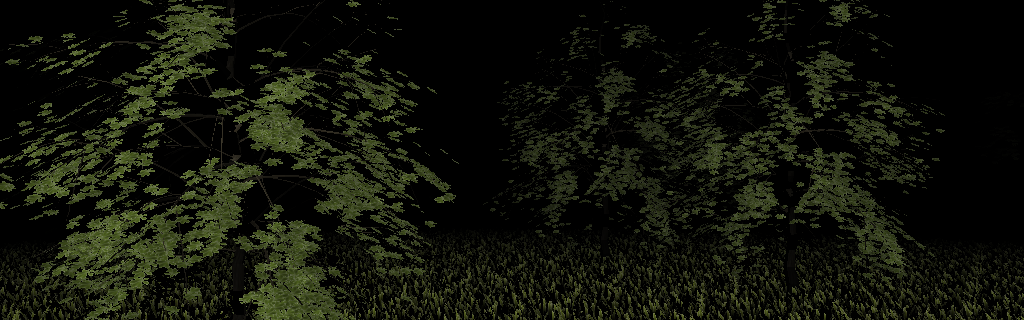
Due to lack of hardware to use for testing, I’ve checked only with one card, namely a Radeon HD5770 with Catalyst 10.6 drivers. I noticed roughly a 10% speedup as the the new version of the Nature demo showed 100 FPS compared to the 90 FPS observed with the old implementation.
Even though this was not exactly the outcome I’ve expected from the new implementation, maybe the assumption is still valid for older generation of GPUs or for NVIDIA cards. I suspect so because for Shader Model 4.0 cards the hardware implementation of the texture fetching unit and the vertex fetching unit was most probably more differentiated than that of the latest GPUs. Also my guess is that on NVIDIA cards the difference is maybe higher as the vertex fetching hardware in SM 4.0 GeForce cards is less flexible than that of AMD’s taking in consideration that the first HD series Radeons already had some form of tessellation functionality that requires more freedom from the vertex pushing hardware.
In order to get a better picture about how effective the presented optimization is, I would like to ask all the visitors of this post to try the two releases and send me feedback about it.
Conclusion
We’ve seen that how easy it was to take advantage of instanced arrays in an existing implementation of the ICR technique and how does it perform on the latest generation of GPUs compared to the previous version. While this small addition provides some benefits, it also comes at a cost and we have to talk about that as well.
Advantages:
- Eliminates the need for texture fetching in the vertex shader thus improving performance.
- Does not compromise the goal and the implementation architecture of the original method.
- Frees up one texture unit that was previously reserved for the texture buffer containing the instance data.
Disadvantages:
- Requires OpenGL 3.3 or the GL_ARB_instanced_arrays extension in addition to the OpenGL 3.2 features.
- We have to possibly sacrifice multiple vertex input attributes to feed the instance data to the shaders.
Most of the mentioned benefits and drawbacks are self-explanatory, however I would like to say a few words about the last mentioned one…
For the purpose of showcase I used a simple translation factor as instance data that means a single vector of floats. In real life situation one may need more complex transformation data that can only be stored in the matrix. While in the demo the feeding of instance data consumed only one vertex attribute slot, in case of a full transformation matrix it would require four of them (not to mention other possible instance attributes). As the maximum number of input attributes is severely limited, usually to 16, the application of the optimization is restricted to situations when all the vertex and instance attributes fit into this limit.
In case of the original implementation, where a texture buffer was used as input, this did not cause any problem as the vertex shader is free to fetch any number of texels from that (still, performance can be a concern in this case). In order to help situations when input attribute slots are at a premium, in real life scenarios it is recommended to use quaternions instead of transformation matrices as they consume two times less attribute resources. Actually this can be a general recommendation as using quaternions decreases the bandwidth requirements of the instance data fetch thus increasing performance even in situations when there are enough input attribute slots available.
Links: source code, Win32 binary
